
AI Automation for Solopreneurs
AI automation is quietly redefining what it means to run a solo business today — where you’re still wearing every hat: marketer, content creator, sales rep, customer support, and CEO… often before lunch, but no longer doing it all the hard way.
The good news? In 2026, artificial intelligence has leveled the playing field in ways that would have seemed impossible just two years ago. You no longer need a team of ten or a five-figure software budget to operate like a well-oiled machine.
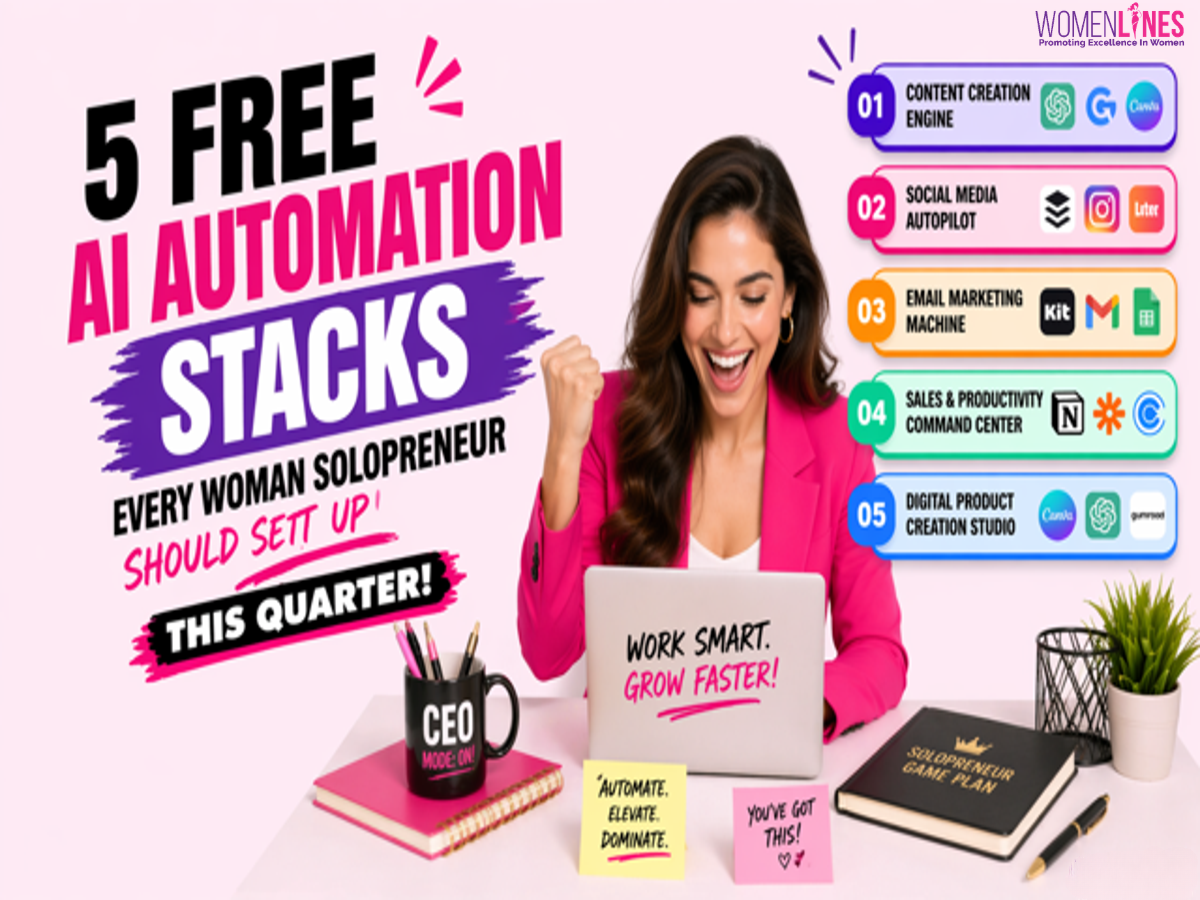
What you need is the right stack, a small group of free tools that work together to automate a specific part of your business. Set up five of these stacks, and you’ve essentially built yourself a silent operations team that works around the clock.
Here are five automation stacks you can set up this quarter, at zero cost, using only free-tier tools.
STACK 1: THE CONTENT CREATION ENGINE
The problem
You know you need to publish consistently blog posts, newsletters, social captions but creating content from scratch every week drains hours you don’t have.
Your free stack
- ChatGPT (free tier) — for drafting blog posts, brainstorming headlines, and repurposing long-form content into shorter pieces
- Grammarly (free tier) — for polishing grammar, tone, and clarity before you hit publish
- Canva (free tier) — for designing featured images, quote graphics, and Pinterest pins without touching Photoshop
- Google Docs — for organizing drafts, collaborating with guest writers, and keeping an editorial calendar
How to set it up
Start by picking your core content pillar the one topic your audience cares about most. Use ChatGPT to generate a month’s worth of blog post outlines in a single sitting. Then batch your writing: draft two to three posts per week in Google Docs, run each one through Grammarly, and create matching visuals in Canva.
The trick is batching. Instead of creating content on the fly every day, dedicate one morning per week to producing everything for the next seven days. This single shift saves most solopreneurs six to eight hours a week.
Pro tip: When you ask ChatGPT for content ideas, give it context about your audience. A prompt like “Give me 10 blog post ideas for women solopreneurs who sell handmade products online” will outperform a generic “Give me blog ideas” every time.
STACK 2: THE SOCIAL MEDIA AUTOPILOT
The problem
Posting consistently across platforms feels like a second full-time job, and the algorithm punishes inconsistency.
Your free stack
- Buffer (free tier) — schedule up to three social channels with a queue of posts ready to go
- Canva (free tier) — create scroll-stopping graphics and short video clips using templates
- ChatGPT or Claude (free tier) — generate captions, hashtag sets, and engagement hooks
- Later (free tier) — visual planning and scheduling specifically optimized for Instagram
How to set it up
Block one hour each week for what I call a “social sprint.” Open ChatGPT and generate captions for five to seven posts based on your weekly content theme. Pop into Canva and design matching graphics, use their social media templates to save time.
Then load everything into Buffer or Later, set your publishing times, and walk away. Your social media now runs on autopilot for the entire week.
The key insight here is that you’re not trying to go viral. You’re trying to be consistent. Consistency beats virality for solopreneurs because it builds the kind of trust that turns followers into paying customers.
STACK 3: THE EMAIL MARKETING MACHINE
The problem
You know email converts better than social media, but setting up sequences, writing newsletters, and growing your list feels overwhelming.
Your free stack
- Kit (formerly ConvertKit, free tier) — up to 10,000 subscribers with unlimited landing pages and email broadcasts
- ChatGPT (free tier) — draft welcome sequences, weekly newsletters, and promotional emails
- Canva (free tier) — design lead magnets (checklists, mini-guides, templates) that attract subscribers
- Google Sheets — track open rates, click-throughs, and subscriber growth week over week
How to set it up
First, create one high-value lead magnet, a simple PDF checklist or a short guide that solves a specific problem for your audience. Design it in Canva, then set up a landing page in Kit to capture email addresses in exchange for the download.
Next, write a three-email welcome sequence using ChatGPT. Email one delivers the freebie and introduces you. Email two shares your story and what your business stands for. Email three offers a soft pitch for your product or service.
Once that welcome sequence is live, commit to sending one email per week. That’s it. One email. Use ChatGPT to draft it, personalize it with your voice, and hit send through Kit.
STACK 4: THE SALES AND PRODUCTIVITY COMMAND CENTER
The problem
Leads slip through the cracks, tasks pile up, and you spend more time managing your business than actually growing it.
Your free stack
- Notion (free tier) — your all-in-one workspace for project management, CRM, and knowledge base
- Zapier (free tier) — connect your tools so data flows automatically between them
- Calendly (free tier) — let prospects book calls without the back-and-forth email dance
- Todoist (free tier) — capture and prioritize daily tasks so nothing falls through the cracks
How to set it up
Create a simple CRM in Notion with columns for lead name, status, and next action date. Set up a Calendly link for discovery calls and embed it in your email signature and website.
Use Zapier to automatically add new Calendly bookings to your Notion CRM, eliminating manual data entry entirely.
Each morning, open Todoist and review your top three priorities. These should be revenue-generating activities.
STACK 5: THE DIGITAL PRODUCT CREATION STUDIO
The problem
You want to create passive income through digital products, but the creation process feels complicated and expensive.
Your free stack
- Canva (free tier) — design ebooks, workbooks, templates, and printables
- ChatGPT (free tier) — outline courses, write ebook chapters, generate worksheet prompts
- Gumroad (free to start) — sell digital products with no upfront cost
- NotebookLM (free) — research your topic deeply
How to set it up
Start with the digital product that requires the least effort to create but delivers the most value. Use ChatGPT to outline the content and draft the copy. Design it in Canva using their templates and upload it to Gumroad.
Your first product doesn’t need to be perfect. It needs to exist.
MAKING IT ALL WORK TOGETHER
The real power of these stacks isn’t in any individual tool, it’s in how they connect. Your content engine feeds your social media autopilot. Your social presence drives traffic to your email landing page. Your email nurtures leads into your sales pipeline. And your digital products give you something to sell.
Set up one stack per week over the next five weeks. Start with your biggest bottleneck.
The tools are free. The knowledge is accessible. The only thing standing between you and a more automated business is the decision to start.
FAQ SECTION
1. What are AI automation tools for business?
AI automation tools help businesses streamline repetitive tasks like content creation, marketing, and customer management using artificial intelligence.
2. Which AI tools are best for solopreneurs?
Tools like ChatGPT, Canva, Notion, and Zapier are highly effective for solopreneurs looking to save time and scale efficiently.
3. Are free AI tools enough to grow a business?
Yes, many free-tier AI tools offer powerful features that allow small business owners to automate workflows and improve productivity.
4. How can women entrepreneurs use AI tools effectively?
By setting up automation stacks for content, marketing, and operations, women entrepreneurs can focus more on strategy and growth.
Author:
Abo Yara
Founder TheEbToolsHub
Also read- How to Grow Your Business in 2026?
-> Subscribe Womenlines for powerful stories, expert insights, and digital visibility strategies that can help you grow with purpose and presence.
Follow Womenlines on Social Media