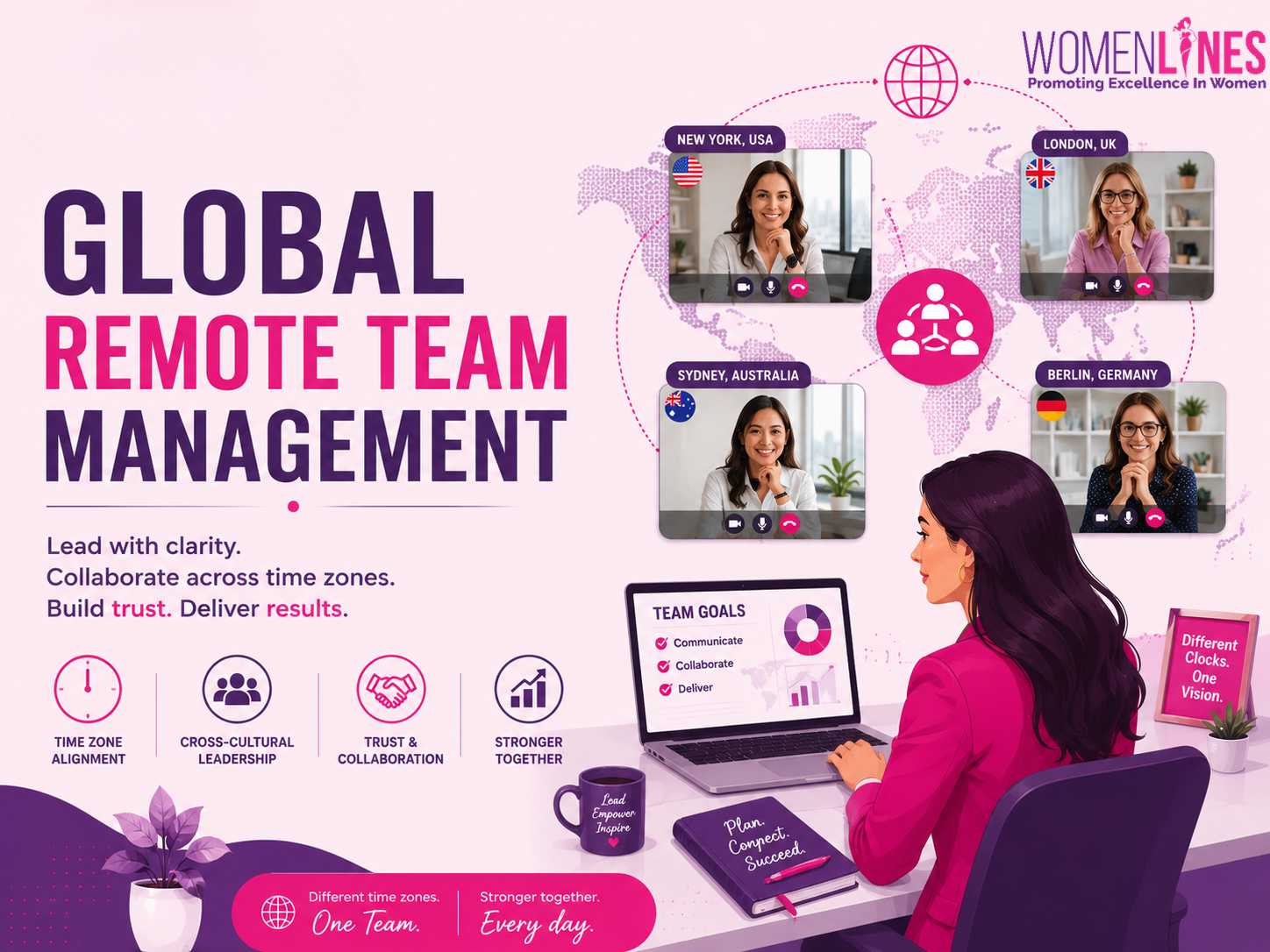
“Same remote team, different clocks, different norms.” For women leaders running international team management across US Australia Europe business hours, the daily tension is keeping decisions, relationships, and delivery aligned while work moves in three directions at once. Remote team challenges show up as slow handoffs, uneven meeting burdens, mixed expectations about speed and tone, and quiet misunderstandings that erode trust. Strong cross-cultural leadership turns that friction into clarity by setting shared ways of working that respect time zones and local context. The result is steadier distributed workforce coordination and fewer surprises.
Set Fair Meeting Windows Across US, Australia, Europe
This process helps you stop scheduling from feeling like a daily emergency by creating predictable overlap, sharing the inconvenience fairly, and using simple tools that prevent mistakes. It matters for any general reader because even one recurring meeting can quietly drain energy and slow decisions when the timing is consistently “bad” for the same people.
-
Map your overlap and pick a default window
Start by listing each region’s typical working hours and finding a 60 to 90 minute overlap that can serve as your “standard live window.” Keep it consistent week to week so people can plan life around it. Notice that when overlapping work hours shrink, teams often compensate in ways that feel chaotic, so protecting overlap is worth it. -
Rotate the pain on purpose
Choose two or three alternate meeting times that cover the same agenda, then rotate who takes the early morning or late evening slot. Publish the rotation at least a month ahead so it reads as policy, not preference. This is one of the fastest ways to reduce resentment while keeping momentum. -
Lock down time zone clarity in every invite
Write the meeting time with a time zone label every single time, even if the calendar “should handle it.” Make it a team norm that the organizer double-checks the invite before sending, especially around daylight saving changes. Many schedulers always include the time zone to prevent the biggest messes. -
Use world-clock tools to confirm, then schedule
Before you finalize any cross-continent meeting, confirm the time in a shared tool so everyone sees the same conversion. Save the tool link or screenshot in the invite for new joiners and occasional attendees. A world clock meeting planner helps you catch mistakes before they become missed meetings. -
Create a simple handoff plan for everything else
For work that cannot happen live, set one daily handoff checkpoint: what’s done, what’s blocked, and who owns the next move. Keep it short, written, and easy to scan so the next region can start without waiting for a response. Over time, this reduces the number of meetings you feel forced to schedule.
Standardise Laptops to Cut Async Friction and Missed Handovers
Once you’ve set fair meeting windows, the next biggest reliability lever is making sure everyone can actually show up, on hardware that won’t fail mid?handover. Equipping team members with high?performing laptops makes day?to?day collaboration smoother, especially when your team is spread across locations and time zones. Fewer slowdowns and crashes mean fewer technical disruptions during virtual meetings, clearer video and audio, and less time lost re?explaining decisions when someone drops off a call. That steadiness matters even more in async?first work: when updates are recorded, shared, and picked up hours later, a laptop that can handle documentation and video reliably helps handoffs land cleanly.
Modern AI?powered laptops add another layer of practical support. With dedicated neural processing units (NPUs) and intelligent features like virtual assistants and auto?framing, they can streamline everyday workflows in both business and creative environments, helping people stay focused instead of wrestling with tools. If you’re standardising options for distributed teams, HP business laptops are one place to start. With dependable devices in place, you can then think about the best co?working hub in each region to support how and where people do their best work.
Pick the Right Co?Working Hub in Each Region
“Choose a hub like you choose a meeting: for a purpose, a budget, and a predictable outcome.” A consistent coworking setup reduces the small failures that break async work, bad calls, missing adapters, and handovers that stall because someone can’t join reliably.
-
Start with a simple workspace spec (then let regions choose): Define your baseline, quiet phone booth access, reliable Wi?Fi, and meeting rooms that support your standard laptop/video setup from your hardware policy. Add two “musts” tied to your work style, like 24/7 access for cross?time?zone overlap or dual monitors for engineering/design. This turns “pick a space” into a repeatable procurement decision across regional coworking options.
-
Map each region to the right provider type (3×3 menu): For coworking spaces United States, shortlist WeWork, Industrious, and Regus when you need many cities and predictable admin. For coworking providers Australia, consider Hub Australia, Spaces, and Regus for strong CBD coverage and meeting rooms. For Europe shared workspaces, start with Mindspace, WeWork, and Regus when you want major-city availability and consistent visitor processes.
-
Use a directory when coverage beats brand, especially in second-tier cities: When your team is spread across smaller markets, treat Coworker.com platform as your “find local options” layer, then apply the same workspace spec to compare candidates. Ask each teammate to shortlist 2–3 nearby spaces and share notes in one template: commute time, noise level, call privacy, and guest policy. This keeps local choice without sacrificing operational consistency.
-
Match space features to collaboration rhythm (not titles): If the team does daily 15?minute standups, prioritize phone booths and many small rooms over a flashy event space. If you run monthly planning or retros, book a hub with larger meeting rooms and whiteboards, then standardize room booking rules so sessions don’t cannibalize focus time. Tie this back to your laptop standards by ensuring rooms support stable video, HDMI/USB?C docking, and power at every seat.
-
Set budget guardrails with a two-tier pass: Offer a “Core” plan for most people (hot desk + 2–4 hours of meeting room credits/month) and a “Collab” plan for leads (dedicated desk or extra room credits). Require justification when someone needs premium locations, and review usage after 30 days. This keeps spend predictable while still protecting the high-leverage moments where real-time collaboration is worth it.
-
Pilot, then lock in a regional default: Run a two-week trial with 2–3 coworkers per region and score spaces on call reliability, booking friction, and time-zone overlap comfort. The market is crowded enough that you can be selective, 13,894 coworking spaces operate across 172 countries, so don’t settle for “good enough” if handoffs keep slipping. Once you pick a winner, publish the default hub per city and a lightweight exception process.
Common Setup Questions for Global Remote Teams
Q: What’s the minimum “day-one” setup every teammate should have?
A: Standardize a short list: stable internet, a comfortable chair or seat cushion, and a webcam-ready audio setup. Add one external display and a full-size keyboard and mouse so posture stays consistent during long overlap hours. With 82% of remote workers, working remotely from their homes, rising from 59%, a clear baseline prevents uneven work conditions.
Q: How do we set internet expectations across the US, Australia, and Europe?
A: Use one measurable rule: pass a video-call test at the same time of day they’ll most often join live. In the US, ask about cable versus fiber stability; in Australia, confirm evening congestion and mobile backup; in Europe, verify building Wi?Fi rules and router access if renting.
Q: Which peripherals reduce time-zone pain the most?
A: Prioritize a noise-canceling headset, a small ring light, and a USB-C hub with HDMI and Ethernet. These eliminate the common “can’t hear you” and “no adapter” delays when overlap windows are short.
Q: Should we reimburse ergonomics, and what’s the simplest policy?
A: Yes, because discomfort turns into missed focus and slower handoffs. Offer a one-time stipend with three approved bundles (chair support, monitor stand, input devices) and let people pick what fits their space.
Q: Can we avoid printing, and what if someone still needs paper docs?
A: Default to e-signatures and shared PDFs, then provide a practical fallback. Approve either coworking print credits or a basic home printer, plus secure shredding guidance for sensitive pages.
Q: How do we keep tools consistent without micromanaging regions?
A: Set rules around which technology, use as a team and keep everything else flexible. Standardize meeting audio, file naming, and where decisions are recorded, then let each region buy locally within that spec.
Building Trust With Offsites and Rituals Across Time Zones
“Distance makes work possible, but it also makes trust harder to earn.” When schedules don’t overlap and cultural defaults differ, even well-equipped teams can drift into silence, misreads, and weak accountability. The approach here is simple: design for clarity first, then invest deliberately in cross-border team engagement through international team offsites, regional in-person events, and consistent virtual team building activities using structured team bonding platforms. Trust is built on predictable rituals, not proximity.
Author
Julia Merrill
Also read:How Women Business Owners Can Choose and Use Edge and Cloud AI to Grow
Follow Womenlines on Social Media